




Office Ergonomics: Essential Guide for a Healthy Workspace with Tips
Ergonomic Work in 2026: The Complete Guide to a Healthier, More Productive Desk Setup
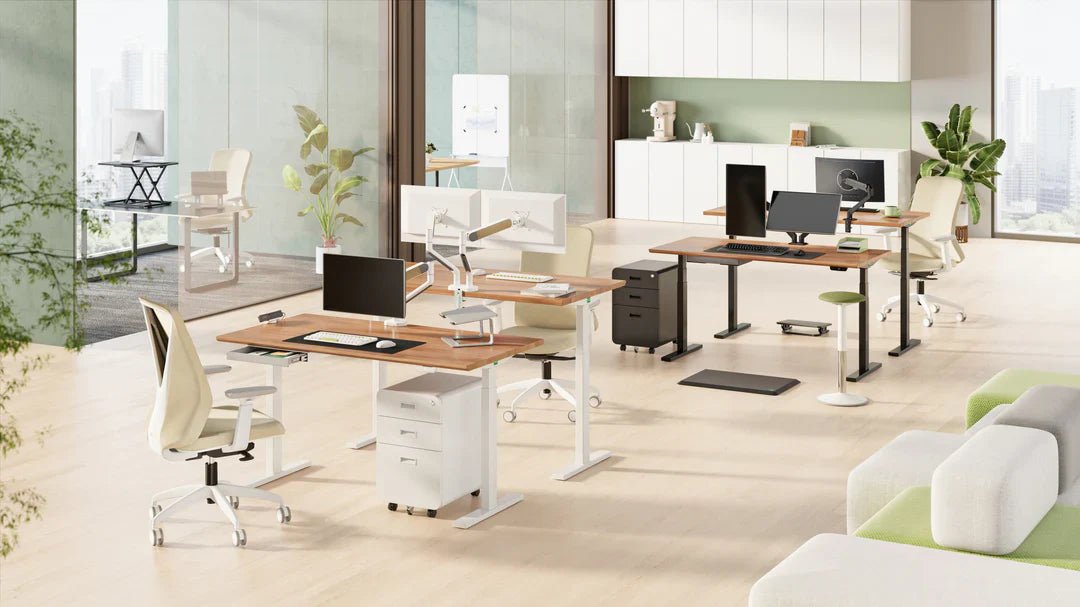
Ergonomic working isn’t about “sitting perfectly.” It’s about setting up an ergonomic workstation that supports your body, helps you stay focused, and reduces the risk of aches and repetitive strain. In this guide you’ll learn what ergonomics really means, how to build an ergonomic desk setup (home or office), and which upgrades make the biggest difference—like an electric sit-stand desk, an ergonomic office chair, and a monitor arm.

“Ergonomic work” is a phrase you’ve probably heard a lot. But in 2026, ergonomics is less about strict rules and more about smart adjustments, support, and movement. That’s why an electric sit-stand desk (height adjustable desk) and a proper ergonomic chair work best as a team.
Ready to upgrade your ergonomic desk setup with the right essentials?
Shop sit-stand desks Shop ergonomic chairsWhat you’ll learn
What is ergonomic working?
Ergonomic working means aligning your workspace with your body so you can work comfortably with less strain. It’s the science of “fit and support”: your desk height, screen position, chair settings, and your daily habits (breaks, movement, and recovery).
In practice, a strong ergonomic workstation is built on three pillars: 1) correct setup, 2) proper support, and 3) enough variation. That’s exactly why a height adjustable desk and a supportive ergonomic chair are such a powerful combo.

Why ergonomics matters (comfort + performance)
A poor setup or awkward posture can lead to common desk-work issues like lower back discomfort, neck and shoulder tension, headaches, and RSI / repetitive strain. Sometimes it starts small (tight shoulders after calls), but over time it can affect your energy, focus, and productivity.
Ergonomics isn’t a luxury—it’s a practical foundation for consistent performance, whether you work from home, in an office, or at a shared desk.

How to build an ergonomic workstation (step-by-step)
The fastest way to a better setup is to focus on the essentials first. Here’s a practical order that works for most people:
- Start with your chair: seat height, lumbar support, and armrests.
- Set desk height: forearms relaxed on the surface, elbows near 90°.
- Fix screen height: top of your screen close to eye level (ideally using a monitor arm).
- Create variation: alternate between sitting and standing with an electric sit-stand desk.
- Make it “calm”: tidy cables and place essentials within easy reach so you don’t compensate all day.

Practical ergonomic tips for 2026
The best ergonomics are the ones you’ll actually do. Not one “perfect posture,” but a setup and routine you can keep every day. Here are the tips that typically make the biggest difference:
-
Dial in your ergonomic chair
Start with seat height and lumbar support. Armrests help keep shoulders relaxed. Explore ergonomic office chairs. -
Get your monitor to eye level
This reduces neck strain—best done with a monitor arm or a laptop stand. -
Use an external keyboard and mouse for laptop work
It keeps wrists and shoulders in a more neutral position and reduces repetitive strain. -
Build micro-breaks into your day
Every 45–60 minutes: stand up, relax your shoulders, look away from the screen for 30–60 seconds. -
Use comfortable lighting
Soft, adequate light reduces eye strain and improves focus—avoid glare on the screen. -
Alternate positions with a height adjustable desk
An electric sit-stand desk helps you break up long sitting blocks, which is often the real game-changer. -
Keep essentials within easy reach
Place mouse, keyboard, and notes where you don’t need to twist or lean forward all day. -
Use the 20-20-20 rule
Every 20 minutes, look at something ~20 feet away for 20 seconds. Great for screen fatigue. -
Support steady energy
Keep water nearby and avoid the big post-lunch dip—simple, but effective for concentration. -
Move outside the workstation too
Short walks or light training supports posture, recovery, and stress reduction. -
Add ergonomic accessories where needed
Think cable management, stands, or workspace organisers. Browse ergonomic accessories.
Active working: the key to better ergonomics
Ergonomics becomes truly effective when you also work actively. That doesn’t mean working out at your desk— it means adding variation:
- Switch between sitting and standing (easiest with an electric sit-stand desk).
- Short walking moments: take calls standing, refill your water, do a quick 2-minute loop.
- Post-meeting reset: loosen shoulders, open the chest, relax the neck.
Pro tip: if your sit-stand desk has memory presets, save two positions (sitting + standing). That’s when switching becomes effortless.
Healthy work goes beyond ergonomics
A great ergonomic workstation helps a lot—but healthy working is broader. Stress management, work-life balance, and mental recovery matter too. Think realistic planning, clear boundaries, and real breaks.

FAQ
What’s the most important ergonomic improvement?
Combine a correct setup (chair + screen + desk height) with consistent variation. A sit-stand routine often delivers the biggest daily impact.
How can I reduce RSI / repetitive strain risk?
Keep wrists neutral, set the monitor to eye level (ideally with a monitor arm), alternate posture, and take micro-breaks. If symptoms persist, consult a professional.
How often should I stand at a sit-stand desk?
Start gently: for example 30–45 minutes sitting and 10–20 minutes standing. The best routine is the one you can sustain.
Conclusion: ergonomics = smart setup + consistent variation
Ergonomic working in 2026 is about a workstation that supports you—and habits you can actually keep. Start with your chair, fix your screen height (a monitor arm helps a lot), and make switching easy with an electric sit-stand desk. Small improvements often deliver surprisingly big results.
Ready to build a calmer, more ergonomic workstation?
Shop electric sit-stand desks Shop monitor arms